
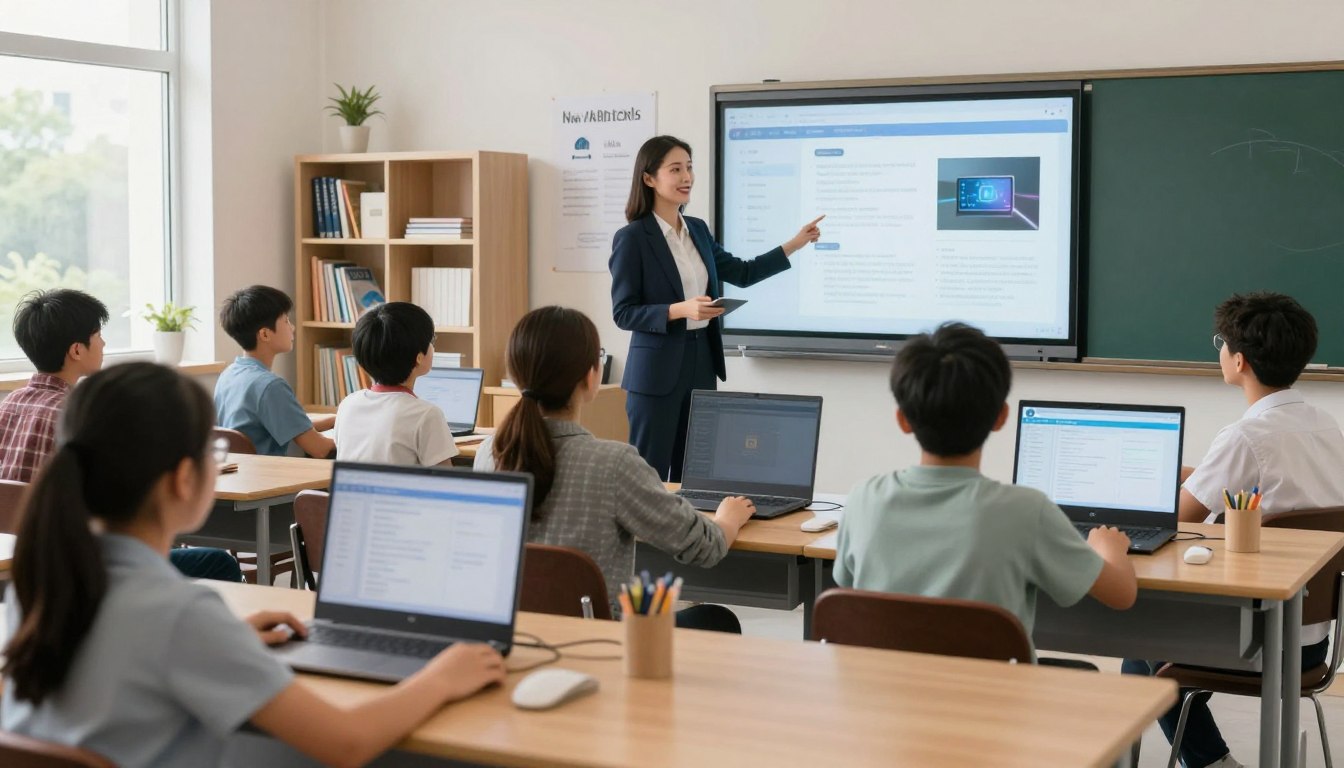
How AI Is Transforming Education: The Future
You face a major shift in classrooms across the United States right now. Machine learning and natural language processing are changing the tools you use. This trend affects K-12, districts, and higher ed today, not years away. Expect a clear scope: you'll read about real use cases, outcomes, risks, and a practical implementation playbook. Examples like DreamBox and Arizona State University show how tutors, grading tools, and content assistants reshape the learning experience. At the same time, practical concerns matter. Privacy, equity, and maintaining human connection guide district decisions. You need ways to evaluate platforms, protect students, and support teachers without losing what makes classrooms human.
This piece spotlights subtle shifts in the way feedback, pacing, and accessibility appear in daily workflows. Credible sources such as IBM, Forbes educator surveys, and UNESCO guidance back practical steps you can take now.
Key Takeaways
- Machine learning and language tools are already changing classroom routines.
- The scope covers K-12, district policy, and higher ed deployments.
- Watch for privacy, equity, and teacher support when choosing platforms.
- Small shifts in feedback and pacing often matter more than headline tools.
- Use trusted sources and real examples to guide evaluation and rollout.
The State of AI in Education in the United States Right Now
Classroom adoption has moved from pilot projects to daily practice in many districts. A 2023 Forbes survey found 60% of practicing U.S. educators report they have used artificial intelligence in the classroom, and 55% say it improves learning outcomes.
Classroom adoption snapshot using 2023 U.S. educator survey data
That 60% figure means you likely share space with colleagues who use tools for writing support, quiz creation, tutoring chat, grading assistance, or admin automation.
Use often looks like single-purpose features inside LMS platforms or assessment systems, not full-scale platforms. For many teachers, a tool that auto-generates practice or speeds grading becomes the go-to solution.
Why this shift is accelerating in the present
Access to ready-made tools, rapid platform rollouts, district pilots, and steady student demand for always-on support push adoption faster.
Educators cite better outcomes and higher engagement when feedback is faster and practice targets skill gaps. Time pressure, rising personalization expectations, and the need for scalable solutions create practical pressure points for adoption.
- What you’ll measure later: engagement signals, performance changes, and efficiency gains for teachers and students.
What Artificial Intelligence Means in Education
Start with a practical definition: IBM describes artificial intelligence as technology that lets machines simulate human learning, comprehension, problem solving, decision making, creativity, and autonomy. In schools, that means systems use algorithms, data analysis, and natural language to learn and adapt from use.
Core capabilities and how they apply
Intelligence in edtech usually means pattern detection and automated adaptation, not human judgment. That distinction sets realistic expectations for classroom use.
Core technologies include machine learning for predictions and personalization, natural language features for tutoring and chat, and analytics for progress monitoring.
Where these systems appear in your day-to-day
- Writing feedback and rubric suggestions inside LMS add-ons.
- Question generation and practice sets in content tools.
- Intelligent tutoring prompts and chat support for students.
- Early-warning flags from assessment platforms that use response patterns and pace.
Data collected—responses, time on task, and attempt history—turns into recommendations that inform teaching choices. Unlike traditional development, these systems can improve from usage patterns, so you must plan monitoring and governance.
For a broader view of technology and policy, see technology and AI in schools.
How AI Is Transforming Education Through Personalized and Adaptive Learning
Systems now tune practice and pacing to what a learner actually demonstrates, not just the lesson plan. Adaptive learning platforms adjust difficulty, practice, and pacing based on each student's responses. This means you can assign the same unit and let the system personalize tasks to individual needs.
Adaptive systems that match pace, skills, and needs
Adaptive learning spots patterns in performance and raises or lowers challenge instantly. Fast movers get richer tasks, while students who need time receive scaffolds and extra practice without stigma.
Intelligent tutoring for one-on-one support at scale
Intelligent tutoring systems act like tutors that deliver practice, hints, and targeted feedback. They extend support, but you still guide motivation, relationships, and context in the classroom.
Real-time feedback loops and data-driven interventions
Immediate feedback reduces frustration and builds confidence by correcting errors as they happen. Live data helps you find gaps—specific skills or misconceptions—so you can plan focused interventions.
Practical examples: DreamBox Learning shows measurable math gains, and Arizona State University uses personalization to tailor college pathways. For deeper reading on personalized learning trends, see personalized learning in higher ed.
High-Impact AI Use Cases Changing the Learning Experience
You can adopt specific technologies today that speed content development and improve learning outcomes. These use cases focus on tools that make lessons faster to build and more responsive to students.
Smart content development for lessons, quizzes, and practice
Smart content tools generate quizzes, scaffolds, and differentiated practice so you spend less time authoring materials.
Benefit: faster lesson planning and consistent quality for diverse learners.
Automated grading and formative feedback
Automated grading saves time on objective quizzes and short responses. Use it for drafts and low-stakes checks.
Keep human review for complex writing and high-stakes assessment to ensure fairness and nuance.
Chatbots and virtual assistants for always-on student support
Assistants handle routine questions, guide study sessions, and reduce interruptions during class.
Outcome: students get quick support, and you reclaim instructional time.
VR and AR experiences enhanced by smart algorithms
AI-driven VR/AR adapts scenarios to student actions, making abstract ideas concrete and boosting engagement.
These immersive experiences deepen understanding and spark curiosity.
Language support and translation to expand access
Real-time translation and multilingual content broaden access for English learners and multilingual families.
Impact: clearer communication and fairer participation across diverse classrooms.
| Use Case | Best Fit | Primary Outcome | Recommended Tool Type |
| Smart content development | Lessons, practice sets | Faster prep, personalized practice | Content authoring platforms |
| Automated grading | Quizzes, short answers | Time saved, consistent feedback | Assessment engines |
| Chatbots / assistants | Student support, FAQs | Reduced interruptions, 24/7 help | Virtual assistant tools |
| VR/AR with adaptive features | Labs, simulations | Higher engagement, experiential learning | Immersive platforms |
How AI Is Reshaping the Teacher’s Role and Instructional Time
Teachers spend a large share of their day on non-instructional work. Curriculum development and lesson planning can take about 45% of that load.
When systems handle routine chores, your focus returns to students.
Reducing administrative tasks so you can focus on teaching
Automated workflows cut down on basic communications, tracking, draft feedback, and first-pass rubric scoring. That reduces administrative tasks and frees
up real minutes.
Faster lesson planning and curriculum development with smart tools
Use platforms to generate draft lessons, aligned practice, and differentiation ideas. You still edit and vet content, but development and planning move faster.
Using performance data to adjust instruction in the classroom
Live performance data from platforms highlights gaps and mastery levels. You can form reteach groups, run targeted mini-lessons, or offer extension tasks the same day.
Result: more instructional time and better teacher well-being. Your role shifts toward coaching, diagnosing misconceptions, and supporting social-emotional growth.
- Choose workflows that match your existing systems and needs.
- Keep clear standards for quality and bias checks as reliance grows.
- Use tools to boost efficiency, not to replace your judgment.
Measuring Outcomes: Engagement, Performance, and Efficiency
Start by defining what better learning looks like in your classroom beyond test scores. You want faster mastery, fewer repeated misconceptions, higher completion rates, and stronger confidence with hard material.
What improved learning outcomes can look like in practice
Look for concrete shifts: quicker progression through skill levels, fewer reteach cycles, and more on-time task completion. Track growth, not just snapshots.
How immediate feedback influences mastery over time
Immediate feedback shortens the gap between error and correction. That reduces practice of incorrect methods and builds correct habits.
When students get timely hints, mastery rises and confidence grows. Use corrective prompts and scaffolded hints to accelerate gains.
Signals to track across platforms and learning systems
Focus metrics: engagement (time-on-task, return rate), performance (accuracy, standards mastery), and efficiency (teacher time saved).
| Signal | What it shows | Action |
| Attempt counts | Persistence and struggle | Provide targeted reteach or extra practice |
| Hint usage | Areas of confusion | Adjust lesson pacing or add mini-lessons |
| Pacing & item difficulty | Match of content to student level | Tune adaptive pathways on platforms |
| Concept-level error patterns | Misconceptions across cohorts | Plan whole-class interventions |
Use data to spot trends, then validate with your observations. Set baselines before adoption so you can compare outcomes and efficiency later. Report results in clear terms for families and administrators so initiatives stay accountable and focused on learning.
Equity and Access: Who Benefits and Who Gets Left Behind
Access to reliable devices and home internet still shapes who succeeds with new classroom technology.
The digital divide in the United States shows up as gaps in devices, bandwidth, and high-quality learning resources at home.
You can mitigate these gaps with practical steps: loaner devices, scheduled lab time, and offline lesson packages that sync later.
The digital divide: devices, bandwidth, and resources
When students lack a device or stable connection, personalized learning becomes unequal learning.
Offer low-bandwidth options and printable practice so no one falls behind.
Designing for diverse needs and disabilities
Assistive tools such as text-to-speech, speech-to-text, and readability supports make content usable for more students.
Prioritize accessibility-first platforms that run on low-end devices and include built-in supports.
Language access and UNESCO-aligned priorities
Translation and multilingual tools remove barriers for multilingual students and families.
Follow UNESCO guidance: choose learner-centered, inclusive technology and safeguard student rights as you procure and deploy solutions.
| Challenge | Practical Solution | Best Use When |
| Device gaps | Loaner programs; classroom device pools | Students with no home device |
| Limited bandwidth | Offline packages; low-bandwidth modes | Rural or low-income households |
| Accessibility needs | Text-to-speech, speech-to-text, readability | Students with disabilities |
| Language barriers | Real-time translation; multilingual resources | Multilingual families and EL students |
Make equity a practice: monitor who engages, who drops out, and where resources fail students with greatest needs.
Risks, Privacy Concerns, and Responsible AI Use
When systems collect rich student signals, you need policies that protect privacy and limit misuse.
What data these tools collect and why privacy matters
Many tools record performance, time on task, question responses, and writing inputs. They can also log behavior patterns and device metadata.
Assume privacy protections are not automatic. Require clear vendor statements about collection, retention, and permitted sharing.
Security expectations you should demand
Insist on access controls, strong encryption at rest and in transit, limited retention, and a public incident response plan.
Ask vendors for third-party audits, SOC reports, and a clear policy on data deletion when students leave.
Bias, fairness, and practical checks
Models trained on narrow data can disadvantage underrepresented students. That creates real equity concerns.
Reduce risk by requiring evidence of bias testing, asking for evaluation methods, and piloting tools with diverse student groups.
Over-reliance, critical thinking, and the human element
Constant assistance can weaken independent practice if assignments let students outsource thinking. Design tasks that require original work and teacher review.
Keep high-empathy work—motivation, belonging, conflict resolution—centered on people, not systems.
| Risk | Typical Evidence | What You Should Require |
| Data misuse | Broad retention clauses, unclear sharing | Limited retention, deletion guarantees, vendor contracts |
| Security breach | Past incidents, weak encryption | SOC audits, encryption, incident response plan |
| Algorithmic bias | Unequal outcomes across groups | Bias testing reports, diverse pilots, corrective plans |
| Educational over-reliance | Reduced independent work, lower critical thinking | Boundaries for use, teacher review, assignment design |
Responsible-use guardrails
- Transparent disclosure to students and families about what data is collected.
- Clear boundaries for acceptable use and teacher oversight on high-stakes decisions.
- Ongoing monitoring and a plan to remove or replace tools that fail equity or security checks.
What to Look For When Choosing AI Tools and Platforms
Selecting the right tools and platforms starts with clear criteria that match your instructional goals. Define the problem you want to solve, then vet vendors against practical safeguards and evidence of impact.
Evaluation criteria: transparency, safety, and evidence
Demand documentation on model behavior, safety practices, and independent studies showing learning gains. Ask for bias testing and third-party audits.
Interoperability and classroom workflows
Choose platforms that sync rosters, support single sign-on, and integrate with your LMS. Good interoperability preserves teacher time and boosts efficiency.
Content quality, feedback, and grading reliability
Verify that generated content maps to standards and is age-appropriate. Set rules for when human review is required for feedback and grading results.
| Criterion | What to ask | Why it matters |
| Transparency | How models make recommendations | Trust and explainability for teachers and families |
| Interoperability | Roster sync, SSO, LMS connectors | Reduces manual work and preserves workflow |
| Content controls | Standards alignment, vetting tools | Ensures curriculum fit and safety |
| Data governance | Retention, ownership, reuse policies | Protects student privacy and legal compliance |
Start small: pilot one solution for a single need, measure outcomes, then scale. Use procurement questions and the table above during vendor review to avoid surprises.
Implementation Playbook for Schools, Districts, and Higher Ed
Begin with a clear needs assessment that maps classroom gaps to measurable outcomes. This short review should list instructional pain points, infrastructure limits, and the educator supports required to improve student results.
Needs assessment and educator support
Start by documenting priority needs, linking each to a student outcome you can measure. Include input from educators and families to ensure practical relevance.
Tip: focus on one or two problems first so pilots solve real classroom challenges without adding extra time for teachers.
Professional development and practical skills
Design short workshops that build classroom-ready skills: safe prompting, verification habits, and feedback review. Show teachers how to design assessments that preserve academic integrity.
Infrastructure and access
Assess devices, internet reliability, accessibility accommodations, and technical resources for troubleshooting. Ensure access plans for underserved students before scaling.
Governance and responsible use
Adopt clear policies for privacy, data retention, and acceptable use. Create a simple approval process for new platforms and require accessibility checks.
Pilots, feedback loops, and continuous improvement
Run small pilots with clear success metrics and lightweight documentation. Collect performance data and educator feedback weekly.
Use those signals to expand, pause, or replace solutions that do not deliver value. For a practical procurement and rollout checklist, see the implementation guide.
Conclusion
Today's decisions about platforms and policy will shape student outcomes for years. You see clear gains now: personalized pathways, faster feedback, and flexible support that improve learning and help students stay engaged. For teachers, this often means reclaimed time, better visibility into progress,
and a shift toward higher-value instruction. Expect measurable boosts in engagement, performance growth, and classroom efficiency when systems are used well. But real risks remain. Privacy, bias, and unequal access are not side issues. You must vet tools, pilot with guardrails, train staff, and keep humans responsible for final decisions.
Takeaway: choose tools carefully, measure the right signals, and pair smart technology with strong governance and inclusive design so the future of education strengthens trust and serves all students.

0 Comments Comments